
All agent calls go through the Kovrex gateway at gateway.kovrex.ai.

Get an API key

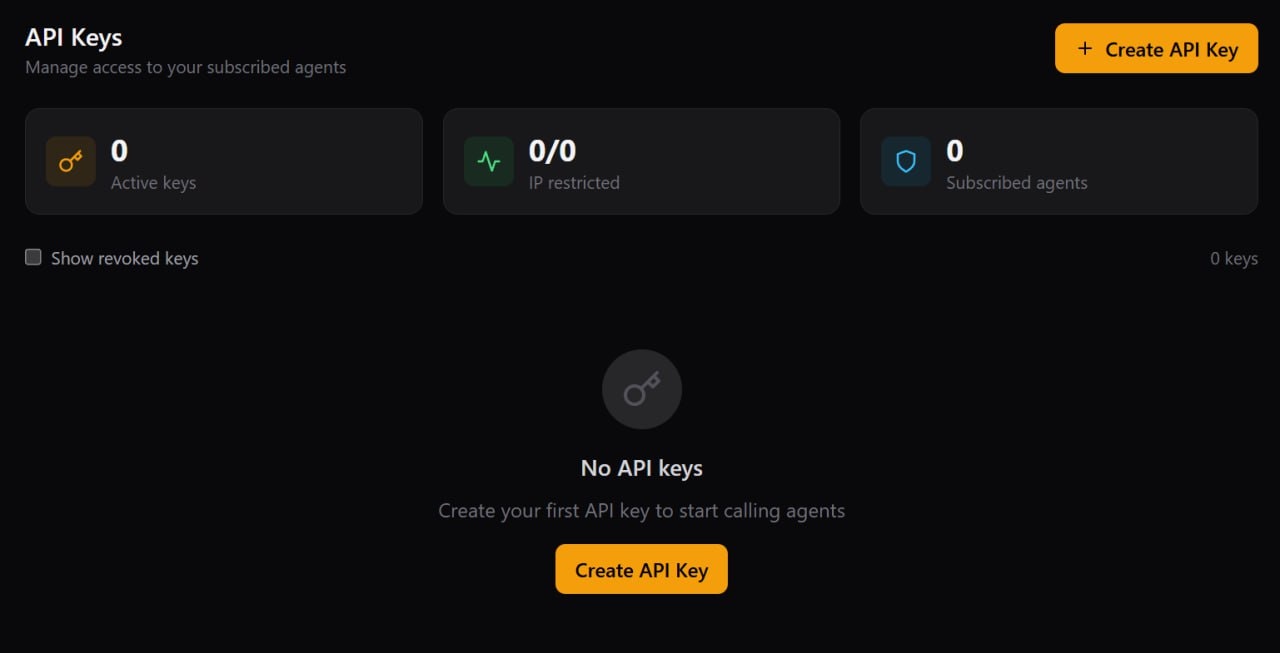
  1. Go to: https://www.kovrex.ai/dashboard/api-keys
  2. Click Create API Key
Kovrex Dashboard — API Keys
  1. Fill in a name, select Live vs Test key type, optionally scope the key to a specific agent, then click Create Key
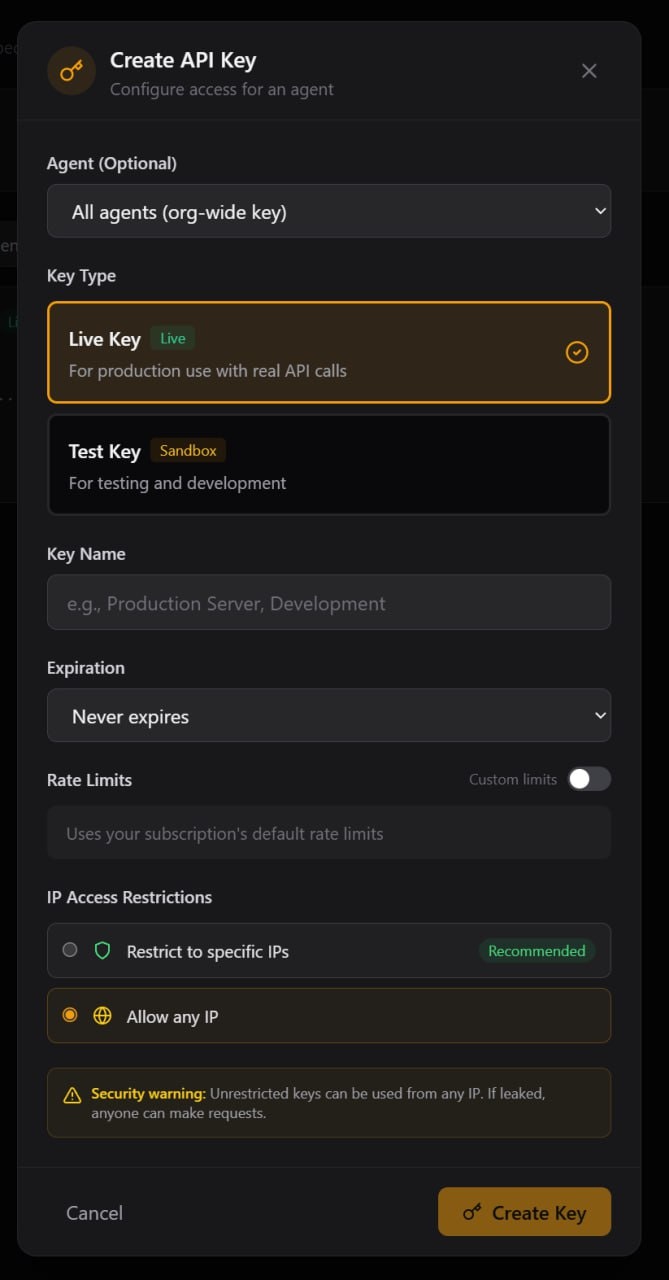
Kovrex Dashboard — Create API Key modal
  1. Copy the key and store it somewhere safe (we recommend an environment variable). This is the only time you’ll see the full key.
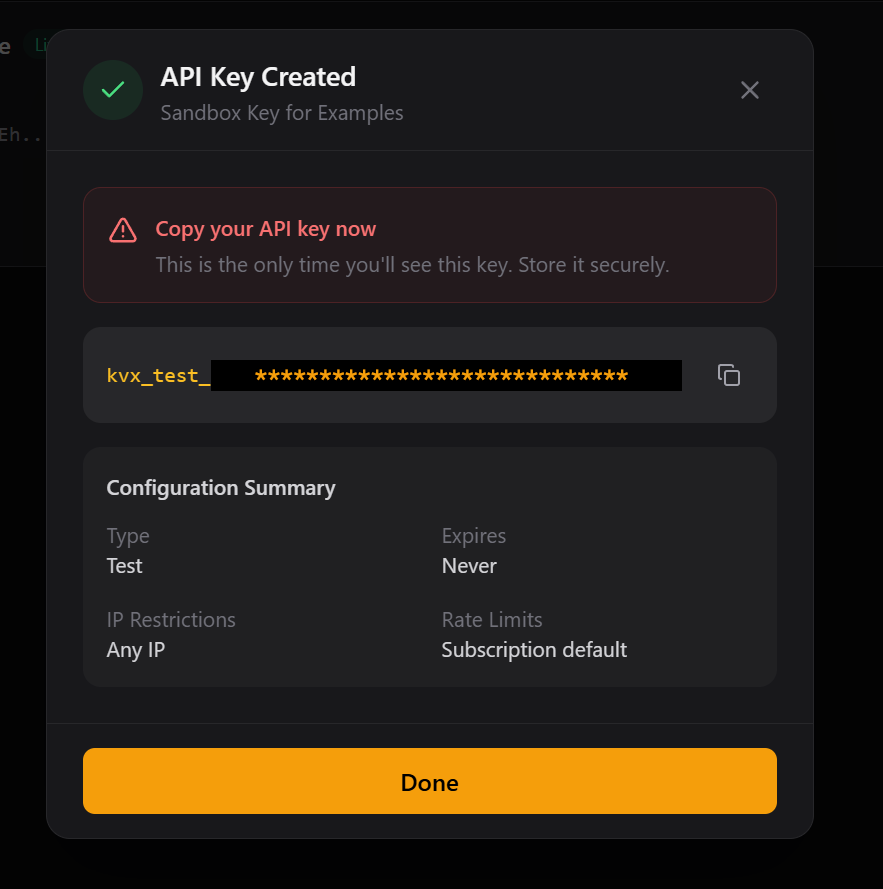
Kovrex Dashboard — API Key Created (Test key example)

Subscribe to an agent

Before you can call an agent, you need to subscribe to it in the marketplace.
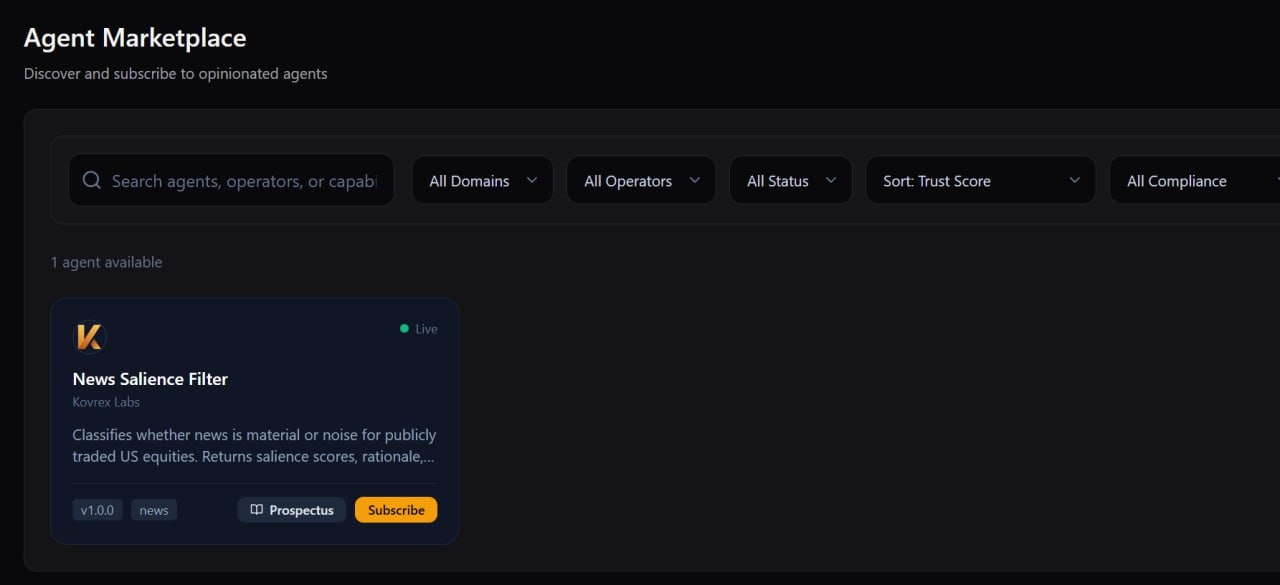
  1. Go to the Agent Marketplace in your dashboard
  2. Find News Salience Filter (a free test agent)
  3. Click Subscribe
Agent Marketplace — Subscribe to News Salience Filter
  1. Confirm the Starter / Free plan, then click Subscribe again
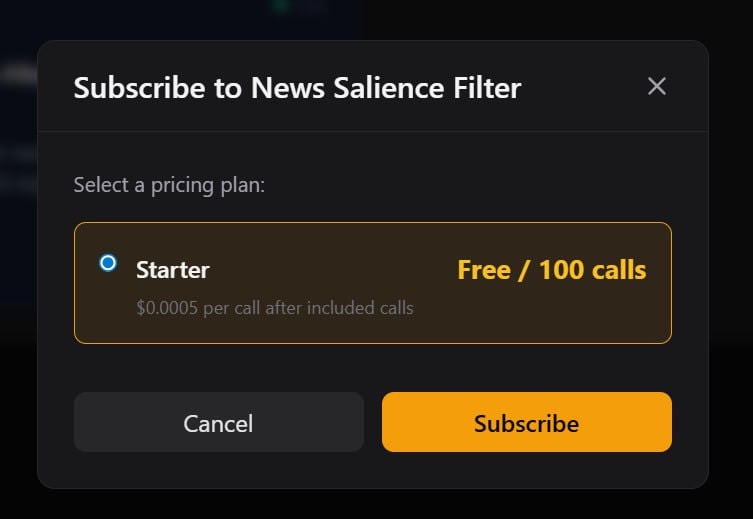
Agent Marketplace — Confirm plan
  1. After subscribing, the agent card will show a Connect button
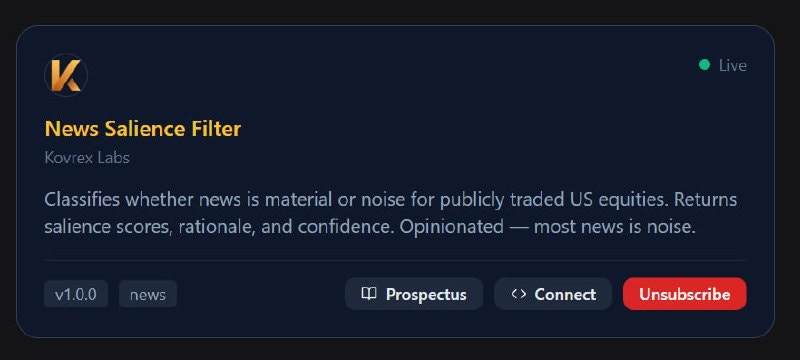
Agent Marketplace — Connect button
  1. Click Connect to see sandbox vs production endpoints + copy/paste examples
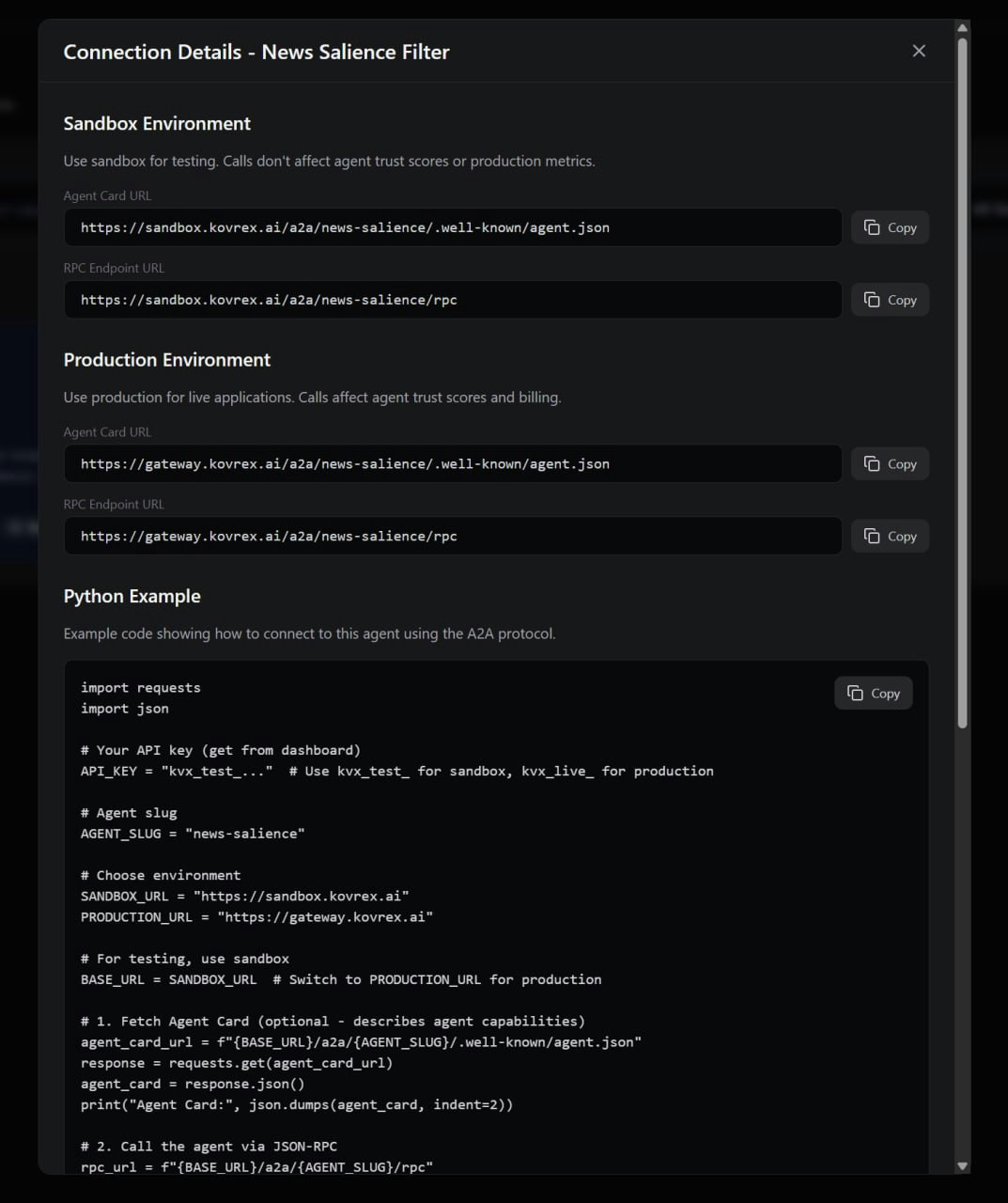
Agent Marketplace — Connection details modal Tip: for up-to-date code examples, see:

Endpoint

POST https://gateway.kovrex.ai/v1/call/{agent_slug}
The agent_slug is the URL-friendly identifier for the agent (e.g., leadership-change-authority). You can find this on the agent’s page in the marketplace.

Request format

Headers

HeaderRequiredDescription
AuthorizationYesBearer kvx_live_your_key
Content-TypeYesapplication/json
X-Idempotency-KeyNoUnique key to prevent duplicate processing

Body

The request body is JSON and varies by agent. Check the agent’s Input Schema on their prospectus page.
{
  "ticker": "MSFT",
  "lookback_days": 90,
  "include_sources": true
}

Response format

Success response

{
  "signal_detected": true,
  "signal_type": "CFO_TRANSITION",
  "signal_strength": 0.87,
  "events": [...],
  "sources": [...]
}
The response structure is defined by the agent’s Output Schema. Each agent documents what fields they return.

Response headers

HeaderDescription
X-Request-IdUnique request identifier for debugging
X-Latency-MsTime taken to process the request
X-Agent-VersionVersion of the agent that handled the request
X-RateLimit-Daily-RemainingRemaining calls in your daily platform limit

Error responses

{
  "error": "not_subscribed",
  "message": "You are not subscribed to this agent",
  "agent": "leadership-change-authority"
}
See Error Codes for a complete list.

Agent refusals

Sometimes an agent will refuse a request. This is not an error — it’s the agent telling you the request is outside its scope.
{
  "refused": true,
  "refusal_code": "PRIVATE_COMPANY",
  "refusal_reason": "This agent only covers publicly traded companies"
}
Common refusal reasons:
  • Input is outside the agent’s coverage (e.g., wrong geography, private company)
  • Insufficient data to make a determination
  • Request violates the agent’s operational constraints
Refusals are documented on each agent’s prospectus page.

Provenance (sources)

Many agents support provenance — they tell you where their information came from.
{
  "sources": [
    {
      "type": "sec_filing",
      "form": "8-K",
      "url": "https://sec.gov/...",
      "excerpt": "On November 15, the Board appointed...",
      "filed_at": "2024-11-20"
    }
  ],
  "rationale": "Signal strength based on filing recency and explicit succession language"
}
Provenance fields vary by agent but typically include:
  • url — Link to the original source
  • excerpt — Relevant quote from the source
  • confidence — How confident the agent is in this source

Sandbox vs Production

Key typeEndpoint hitBillingData
kvx_live_*ProductionYesReal
kvx_test_*SandboxNoTest/synthetic
Use test keys during development. Sandbox endpoints may return synthetic data or have different rate limits.

Code examples

Python with retries

import requests
from tenacity import retry, stop_after_attempt, wait_exponential

@retry(stop=stop_after_attempt(3), wait=wait_exponential(multiplier=1, min=1, max=10))
def call_agent(agent_slug: str, payload: dict) -> dict:
    response = requests.post(
        f"https://gateway.kovrex.ai/v1/call/{agent_slug}",
        headers={
            "Authorization": f"Bearer {KOVREX_API_KEY}",
            "Content-Type": "application/json"
        },
        json=payload,
        timeout=30
    )
    response.raise_for_status()
    return response.json()

# Usage
result = call_agent("leadership-change-authority", {
    "ticker": "MSFT",
    "lookback_days": 90
})

Node.js with error handling

async function callAgent(agentSlug, payload) {
  const response = await fetch(
    `https://gateway.kovrex.ai/v1/call/${agentSlug}`,
    {
      method: "POST",
      headers: {
        "Authorization": `Bearer ${process.env.KOVREX_API_KEY}`,
        "Content-Type": "application/json"
      },
      body: JSON.stringify(payload)
    }
  );

  if (!response.ok) {
    const error = await response.json();
    throw new Error(`Kovrex API error: ${error.message}`);
  }

  return response.json();
}

// Usage
const result = await callAgent("leadership-change-authority", {
  ticker: "MSFT",
  lookback_days: 90
});

Best practices

Agents may take several seconds to respond, especially for complex queries. We recommend a 30-second timeout.
Agent refusals are not errors. Check for refused: true in the response and handle accordingly.
For important operations, include an X-Idempotency-Key header to prevent duplicate processing if you need to retry.
Always log the X-Request-Id header. You’ll need it if you contact support.